TikTok users often connect different apps to improve their social media experience. However, many people now want to remove Lemon8 from TikTok because they no longer use the app or prefer more privacy. According to recent social media reports, TikTok has over 1.5 billion active users worldwide, while Lemon8 continues to grow in the United States. As a result, users frequently link both platforms for easier account management. Still, removing connected apps helps improve security and gives better control over personal data. This guide explains every step clearly so you can safely disconnect Lemon8 from TikTok without confusion.
What Is Lemon8 And Why Is It Connected To TikTok?
Lemon8 is a lifestyle-focused social media app developed by ByteDance, the same company behind TikTok. The platform focuses on beauty, fashion, travel, wellness, and product recommendations. Many users connect Lemon8 with TikTok because both apps share account integration features. As a result, logging in becomes faster and content sharing feels easier.
TikTok often promotes Lemon8 through account suggestions and profile linking options. Therefore, some users accidentally connect both apps during setup. In many cases, people later decide they no longer need the connection. Consequently, they start looking for ways to remove Lemon8 from TikTok completely.
Reasons People Remove Lemon8 From TikTok
Users disconnect apps for many different reasons. Some prefer keeping social platforms separate for better organization. Others want stronger privacy and fewer linked services. Additionally, connected apps sometimes create notification overload.
Here are common reasons people remove Lemon8 from TikTok:
- Better privacy protection
- Reduced app permissions
- Cleaner TikTok profile setup
- Fewer cross-platform notifications
- Improved account security
- Less personalized tracking
- Easier social media management
Many users in the USA also reduce connected apps during seasonal digital cleanups. For example, people often organize their devices during spring or before holiday travel periods. Therefore, removing unused app connections becomes part of regular online maintenance.
How To Remove Lemon8 From TikTok Using TikTok Settings
Removing Lemon8 from TikTok usually takes only a few minutes. The process works similarly on both Android and iPhone devices. However, menu names may slightly change depending on app updates. Still, the steps remain simple and easy to follow.
Open Your TikTok Profile
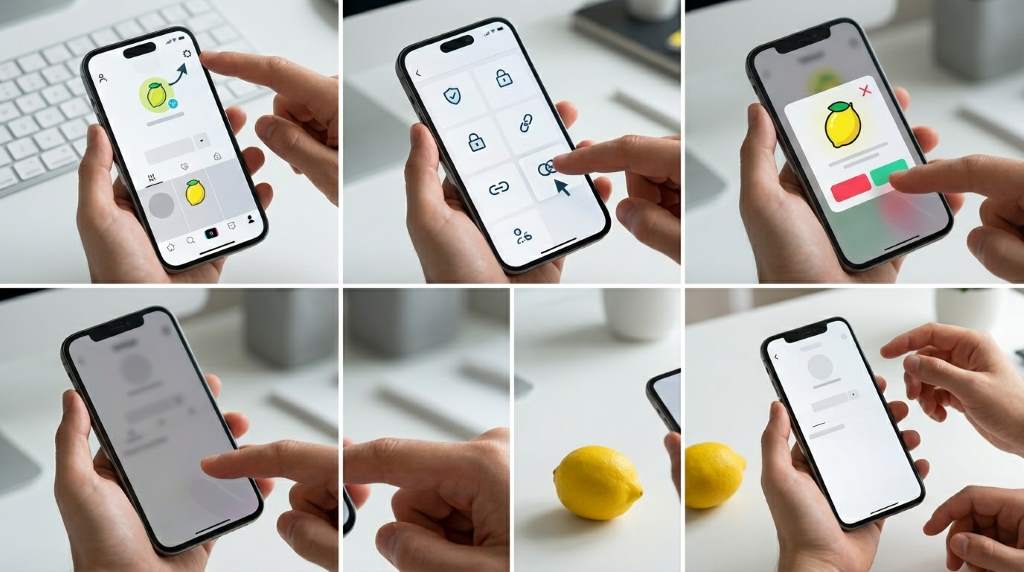
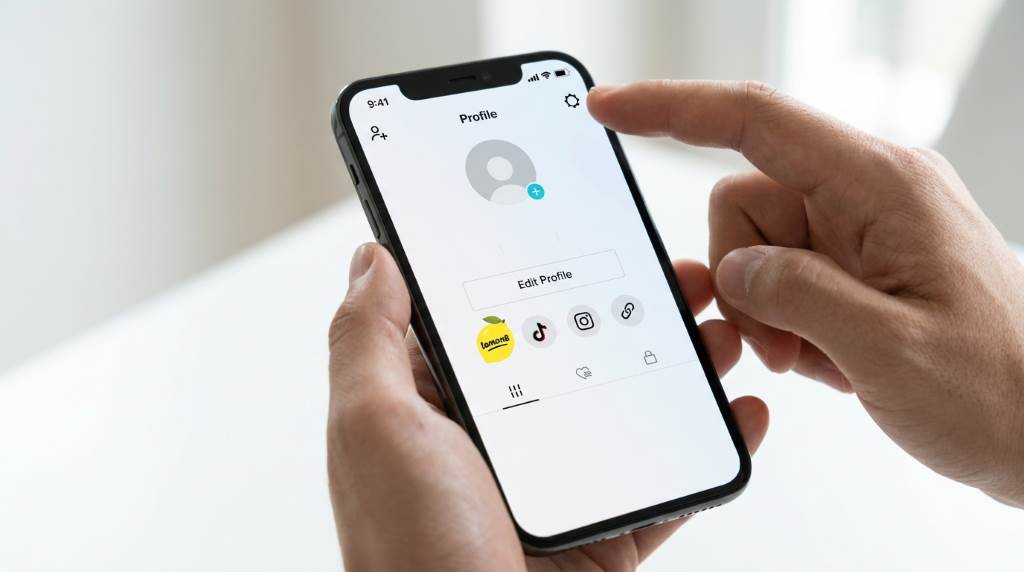
First, launch the TikTok app on your smartphone. Next, tap the Profile icon located in the bottom-right corner of the screen. After that, select the three-line menu in the upper-right corner. Then open “Settings and Privacy.”
Access Security And Permissions
Inside the settings menu, scroll down carefully until you find “Security” or “Apps and Services.” TikTok sometimes changes these menu labels after updates. Therefore, you may also see “Connected Apps” or “Manage Permissions.” Open that section to continue.
Remove Lemon8 Access
Once you see connected services, look for Lemon8 in the list. Tap the app name to open permission details. Then choose “Remove Access” or “Disconnect.” TikTok will ask for confirmation before completing the action.
Confirm The Removal
After confirmation, TikTok disconnects Lemon8 from your account immediately. You should no longer see sharing permissions between the apps. Additionally, Lemon8 will stop accessing linked TikTok account information. Restarting the app afterward can help refresh all settings properly.
How To Remove Lemon8 Login Permissions
Sometimes removing app access inside TikTok does not fully disconnect the account. Therefore, you should also remove login permissions directly from Lemon8. This step ensures complete separation between both platforms. It also improves account privacy.
Open The Lemon8 App
Start by opening the Lemon8 application on your device. Then tap your profile icon and access the settings area. Most versions place settings in the upper-right corner. Afterward, look for “Account Management” or “Linked Accounts.”
Disconnect TikTok Login
Inside the linked accounts section, locate TikTok login permissions. Next, tap the disconnect option beside TikTok. Lemon8 may ask for your password or verification code. Complete the verification to finalize the removal process.
Check Your Login Methods
After disconnecting TikTok, confirm your Lemon8 account still has another login method. For example, you can add an email address or phone number. This step prevents accidental account lockouts later. Therefore, always verify account recovery options before removing connections.
How To Remove Lemon8 From TikTok On iPhone
iPhone users may notice slight differences because of iOS privacy settings. However, the removal process remains straightforward and secure. Apple devices also provide extra permission controls. Therefore, users can further restrict app access.
Remove Permissions Through TikTok
Open TikTok and follow the same settings process described earlier. Then disconnect Lemon8 from the connected apps section. Make sure the confirmation message appears before closing the app. Otherwise, the connection may remain active.
Check iPhone Privacy Settings
Next, open the iPhone Settings app and scroll to TikTok. Then review permissions such as contacts, photos, and tracking access. You can disable unnecessary permissions for better privacy. Similarly, repeat the process for Lemon8 if needed.
Clear Cached App Data
Many users also clear app cache after disconnecting services. This step removes temporary data stored on the device. Open TikTok settings and choose “Free Up Space.” Then clear cache files carefully without deleting your drafts.
How To Remove Lemon8 From TikTok On Android
Android devices offer similar settings but with slightly different layouts. Still, most users can complete the process within minutes. Android phones also allow advanced permission management. Therefore, you can strengthen security even further.
Disconnect Lemon8 Inside TikTok
Launch TikTok and go to your profile settings section. Then open “Security and Login” or “Apps and Services.” Locate Lemon8 and remove access permissions. Finally, confirm the removal request.
Review Android App Permissions
Open your Android Settings app afterward. Then select “Apps” and choose TikTok from the list. Review storage, camera, contacts, and tracking permissions carefully. Repeat the same review for Lemon8 to maintain stronger privacy control.
Update Both Apps
Sometimes older app versions create syncing problems during disconnection. Therefore, update TikTok and Lemon8 through Google Play Store before removing permissions. Updated apps usually display settings more clearly. Additionally, security fixes improve account protection.
What Happens After Removing Lemon8 From TikTok?
Disconnecting Lemon8 from TikTok does not delete either account automatically. Both apps continue working separately without shared permissions. However, some features may stop functioning immediately. For example, direct cross-posting may no longer work.
You may also notice reduced personalized recommendations between platforms. That change occurs because the apps stop sharing certain activity data. Additionally, login convenience disappears once the connection ends. Therefore, you may need separate passwords for each app later.
In most cases, users experience no negative effects after removal. In fact, many people prefer the cleaner account setup afterward. Privacy-focused users especially appreciate fewer linked services. Consequently, disconnected accounts often feel easier to manage.
Common Problems When Removing Lemon8 From TikTok
Sometimes users face small technical issues during the process. Fortunately, most problems have quick solutions. Restarting the app often resolves syncing delays. Additionally, updating the apps fixes many permission errors.
Lemon8 Still Appears Connected
If Lemon8 still appears connected after removal, log out of both apps first. Then restart your device completely before checking again. Cached account data sometimes delays updates temporarily. Therefore, patience often solves the issue.
Unable To Find Connected Apps
TikTok frequently changes menu layouts during updates. Consequently, some users struggle to locate connected app settings. Use the search bar inside TikTok settings if available. Alternatively, reinstalling the app may refresh missing menus.
Login Problems After Removal
Some users accidentally remove their only login method. Therefore, always add email or phone recovery options beforehand. If login problems occur, use TikTok or Lemon8 account recovery tools immediately. Acting quickly improves recovery success.
Tips To Improve Social Media Privacy
Removing Lemon8 from TikTok is only one part of stronger online privacy. Users should regularly review all connected services and permissions. Doing so reduces unnecessary data sharing across platforms. Additionally, it improves overall account security.
Here are useful privacy tips for social media users:
- Use strong and unique passwords
- Enable two-factor authentication
- Remove unused connected apps regularly
- Limit app tracking permissions
- Avoid sharing sensitive personal details
- Update apps frequently
- Review login activity every month
Many users in large US cities like New York, Los Angeles, and Chicago now perform routine privacy checks because social media tracking continues increasing. Similarly, remote workers often clean up app permissions during winter indoor work periods. Therefore, regular account maintenance has become more important than ever.
Should You Delete Lemon8 Completely?
Some users only want to disconnect the apps, while others prefer deleting Lemon8 entirely. The best option depends on your usage habits and privacy preferences. If you no longer use Lemon8, deleting the app may simplify your digital life further. However, occasional users may only need to remove TikTok access.
Before deleting Lemon8, download any saved content or drafts you want to keep. Additionally, confirm account deletion inside the app settings section. Some deletions require several days for full completion. Therefore, read the confirmation instructions carefully before proceeding.
Best Practices For Managing Connected Apps
Managing connected apps regularly helps keep your online accounts organized. Many people forget which services they linked years ago. As a result, old permissions continue sharing unnecessary data silently. Regular reviews prevent this problem effectively.
Create a habit of checking connected apps every few months. For example, many Americans review accounts during New Year digital organization routines. Similarly, spring cleaning periods provide a perfect time for online privacy updates. Small maintenance habits greatly improve long-term account security.
Conclusion
Learning how to remove Lemon8 from TikTok helps improve privacy, reduce app clutter, and strengthen account security. The process only takes a few minutes, yet it gives users better control over personal information. Whether you use iPhone or Android, the steps remain simple and effective. Additionally, removing unnecessary app connections helps create a cleaner social media experience overall.
Review your connected apps today and remove services you no longer need. Regular account maintenance keeps your digital life safer and easier to manage. Start with TikTok and Lemon8, then continue checking other linked accounts for better long-term privacy.
FAQ
How do I unlink Lemon8 from TikTok?
Open TikTok settings, go to connected apps, and remove Lemon8 access.
Will removing Lemon8 delete my TikTok account?
No, removing Lemon8 only disconnects app permissions and does not delete TikTok.
Can I reconnect Lemon8 to TikTok later?
Yes, you can reconnect both apps anytime through account settings.
Why is Lemon8 connected to TikTok automatically?
Both apps belong to ByteDance, so TikTok often promotes easy account linking.
Is removing connected apps good for privacy?
Yes, removing unused app connections helps reduce unnecessary data sharing.
Related Reads
Explore: How To Make My Instagram Private: A Complete Step-By-Step Guide
Explore: How To Record Without Holding The Button On Snapchat
Read more: How Does TikTok Increase Brand Awareness