
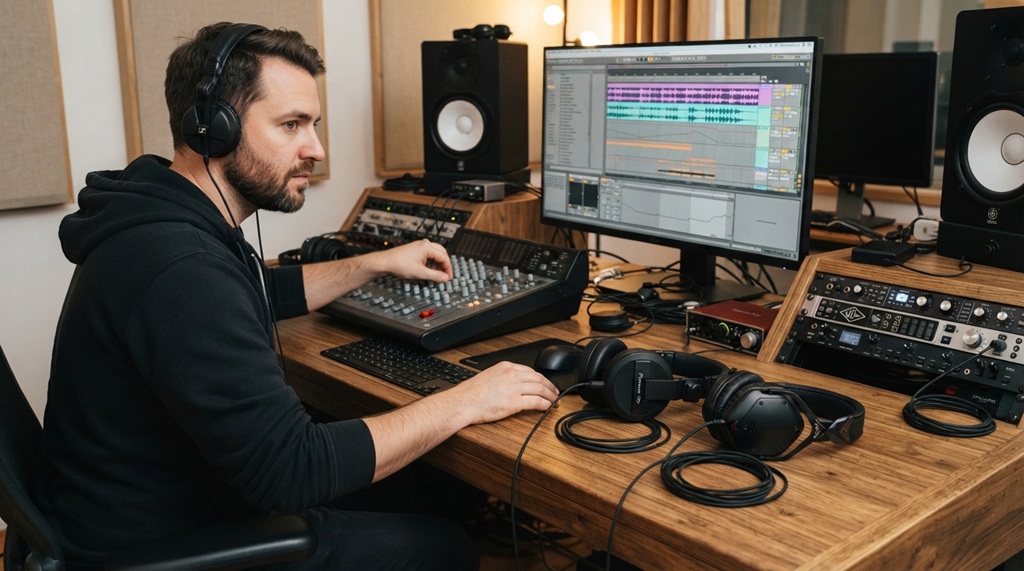
You’ve just finished mixing a track, only to realize the bass sounds muddy on your friend’s car stereo. The culprit? Your headphones. Finding the perfect pair of top DJ headphones for studio sound isn’t just about volume; it’s about accuracy, durability, and comfort during marathon sessions. The market is flooded with options, making the choice overwhelming. This guide breaks down the technical specs and practical features you actually need, comparing them so you can make a confident, informed decision without wasting money on hype.
What Defines “Studio Sound” in a DJ Headphone?
Studio sound refers to a headphone’s ability to reproduce audio with a flat, neutral frequency response, meaning no frequencies are artificially boosted or cut. This accuracy ensures that what you hear is the true recording, allowing for precise mixing and critical listening. Unlike consumer headphones that color sound for enjoyment, studio-focused DJ cans prioritize clarity and detail for professional work.
Understanding Frequency Response: The Flat Line Myth
A perfectly flat frequency response (20Hz–20kHz) is the theoretical ideal. However, in practice, most high-quality DJ headphones have slight variations. Your goal is to find a pair with minimal deviation from neutral. Look for models where the bass isn’t overly exaggerated and the highs aren’t piercing. This ensures your mixes translate well on other systems.
Impedance and Sensitivity: Powering Your Headphones
Impedance (measured in ohms) indicates how much power the headphones need to reach a good volume. Lower impedance (25–32 ohms) works well with laptops, phones, and basic DJ mixers. Higher impedance (80+ ohms) often requires a dedicated headphone amplifier. Sensitivity (dB/mW) tells you how loud they get with a given power input – aim for 100dB or higher for adequate monitoring in noisy environments.
The Crucial Role of Driver Size and Type
Drivers convert electrical signals into sound. Larger drivers (typically 40mm–50mm) generally produce better bass response and overall headroom. However, the material and design matter more. Dynamic drivers are standard, offering punchy bass, while planar magnetic drivers provide exceptional detail but are heavier and pricier a trade-off worth understanding for studio work.
Why Should DJs Prioritize Sound Isolation and Leakage?
Sound isolation blocks external noise from entering your headphones, while sound leakage is audio escaping from your headphones into a microphone. A closed-back design is non-negotiable for studio DJing because it provides both isolation and prevents bleed, allowing you to cue tracks without feedback and record vocals without interference.
Closed-Back vs. Open-Back: The Critical Choice
Choose closed-back headphones for virtually all DJ applications. They contain the sound, provide better bass impact, and prevent audio bleed. Open-back headphones offer a more natural soundstage, but they leak sound and let in ambient noise, making them unsuitable for live mixing or recording in the same room as a mic.
How Earcup Design Affects Isolation
Look for circumaural (over-ear) earcups that fully enclose your ears. They offer the best passive isolation. Supra-aural (on-ear) pads are less isolating and can become uncomfortable during long sessions. Also, examine the clamping force enough to seal well, but not so much that it causes fatigue. Memory foam pads lined with leather or protein leather provide the best seal and comfort.
Evaluating Noise Isolation Specs: Not Just a Number
Manufacturers rarely publish isolation numbers; you must rely on design. A reputable pair with good clamping force and thick padding will attenuate the sound of a loud crowd by a significant margin. Reading user reviews about real-world isolation in club environments is often more valuable than marketing claims.
How Do DJ Headphone Build Quality and Durability Compare?
Studio gear endures travel, drops, and constant twisting. The construction materials and hinge design determine a headphone’s lifespan. You are looking for models with metal yokes and headbands, reinforced sliders, and detachable cables. A pair that breaks after a year is not studio-grade.
Materials: Plastic vs. Metal vs. Reinforced Composites
High-end models often use aircraft-grade aluminum for the headband and yokes, resisting bending and cracking. Cheaper plastic frames may save weight but fail quickly. Consider the points of stress the hinges where the earcups swivel. Look for designs with a proven track record, such as those used by touring professionals, to ensure longevity.
The Importance of a Detachable, Coiled Cable
A detachable cable is a lifesaver; a damaged cable normally means replacing the headphone, but here you just swap the cord. A coiled cable stretches up to 5 meters, giving you freedom to move without snagging. Also, check for a locking mechanism on the cable connection, such as a screw-in or twist-lock, to prevent accidental disconnects during a set.
Swivel Hinges: The DJ’s Signature Move
The ability to flip one earcup away from your ear is essential for single-ear monitoring while mixing. This hinge is a common failure point. Ensure the mechanism is robust and has been tested for extreme rotations (typically 90-270 degrees). Models with a solid, clickable feel are generally more reliable than loose, flimsy swivels.
Which Headphone Features Matter Most for Mixing Accuracy?
Mixing accuracy depends on the clarity of the mid-range frequencies and a tight, controlled bass response, not boosted bass. The goal is to hear the decay of each sound and the panning accurately. Soundstage, or the perceived space of the audio, also helps in placing elements correctly in the mix.
Analyzing the Mid-Range for Vocal Clarity
The mid-range (200Hz–2kHz) is where vocals, guitars, and most musical fundamentals live. A headphone that masks these frequencies with smooth, muddy bass or harsh treble will lead to poor EQ decisions. Listen to a track with a full mix and ensure the vocals sit clearly on top without being shouty.
Bass Response: Tight vs. Boomy
For studio work, you need bass that is present and extends deep, but not bass that bleeds into the lower mids. A bass-heavy consumer headphone makes you mix with too little bass. Look for technical specs like low total harmonic distortion (THD), ideally below 0.5%, which ensures that the bass is clean and controlled.
Soundstage and Imaging for Stereo Placement
While closed-back headphones have a smaller soundstage than open-back, a good pair will still offer precise imaging. This means you can pinpoint whether a instrument is slightly left or right of center. This is crucial for creating a balanced stereo field in your tracks. Test with a binaural recording or a well-mixed track to evaluate this.
Over-Ear vs. On-Ear DJ Headphones: Choosing the Superior Studio Standard
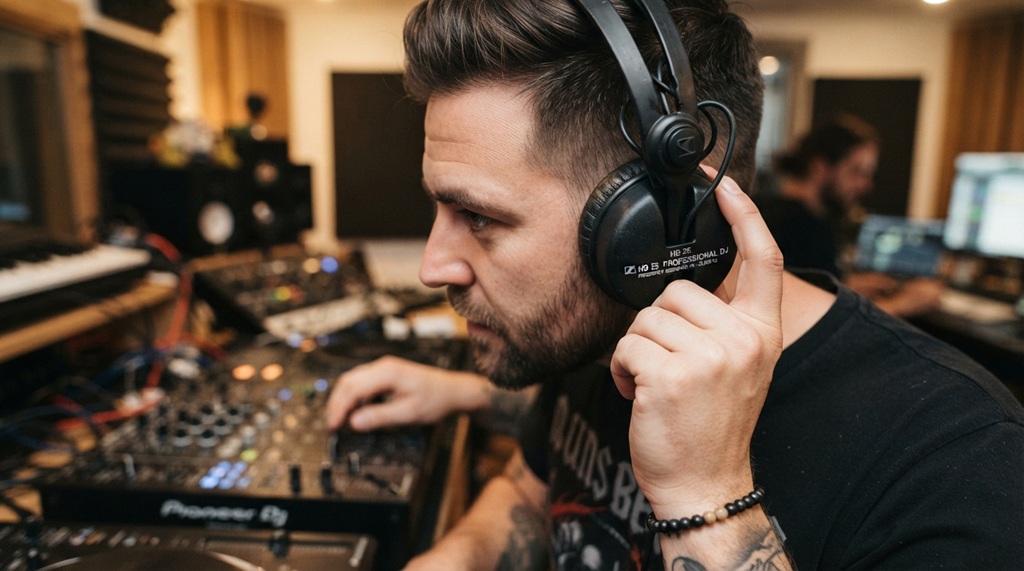
When balancing acoustic fidelity against physical form factor, over-ear headphones remain the undisputed standard for professional studio environments, outperforming on-ear alternatives through superior passive noise isolation, expansive soundstage delivery, and sustained ergonomic comfort during extended mixing sessions. While on-ear designs offer unmatched portability for mobile artists on the go, their surface-level fit inevitably sacrifices the critical seal required to block ambient interference and preserve accurate low-end frequencies. The larger circumaural earcups of over-ear models physically enclose the ear to cultivate a controlled acoustic chamber an essential element for precise audio tracking, critical monitoring, and preventing fatigue. For creator-centric setups, selecting the proper form factor serves as the ultimate baseline; for instance, learning upgrade your sound with JLab headphones provides an accessible entry point to experience these dynamic acoustic distinctions during daily listening and practice sessions.
Comfort Factors: Weight, Clamping Force, and Pad Material
You will wear these for hours. Weigh between 250g and 350g; lighter is better for long sessions. Clamping force should be even. Cheap leather pads trap heat; breathable velour is cooler but less isolating. Many high-end models now use memory foam inside protein leather, balancing comfort with isolation, which is a significant upgrade for extended wear.
Portability vs. Studio Rigidity
Over-ear models with a folding design are ideal if you move between studios. However, the folding mechanism is another potential breakage point. A robust single-piece headband with a swivel hinge is often sturdier than complex folding designs. Deciding what you prioritize ultimate durability or portability will guide your choice.
How to Compare the Top 5 DJ Headphones for Studio Sound
While brand preference is personal, several models consistently dominate professional studios. We compare key specs across the best performers in the market. Look beyond the price and examine the numbers to see which fits your needs. The best choice is the one that lacks trade-offs you can’t live with.
| Model | Type | Driver Size | Impedance | Key Strength |
|---|---|---|---|---|
| AIAIAI TMA-2 Studio Wireless+ | Over-Ear | 40mm | 32 Ohms | Modular, quality materials |
| V-Moda Crossfade M-100 Master | Over-Ear | 50mm | 32 Ohms | Dual-Driver, robust build |
| Sennheiser HD 25 | On-Ear | 60mm (proprietary) | 70 Ohms | Lightweight, iconic durability |
| Pioneer DJ HDJ-X10 | Over-Ear | 50mm | 56 Ohms | High resolution, solid build |
| Beyerdynamic DT 770 Pro | Over-Ear | 45mm | 250 Ohms (also 32/80) | Excellent detail, comfortable |
Detailed Look: AIAIAI TMA-2, V-Moda, and Sennheiser HD 25
The AIAIAI TMA-2 stands out for its modular design, allowing you to swap drivers and headbands. The V-Moda’s 50mm drivers give an aggressive bass, but the mid-range remains clear. The Sennheiser HD 25, despite being on-ear, is a legend in studios due to its immense clarity and durable build, making it an industry standard for decades.
Analyzing Pioneer DJ HDJ-X10 and Beyerdynamic DT 770 Pro
The Pioneer HDJ-X10 offers a strong, detailed sound and a flexible headband that’s built for heavy use. The Beyerdynamic DT 770 Pro is a studio staple for mixing, offering a balanced sound profile with high detail, though the high-impedance version requires an amp. This makes it less suitable for direct mixer connection compared to lower impedance models.
Comparing Build and Warranty Across the Models
Warranty matters as it is a trust signal in the industry. Pioneer and AIAIAI offer 2-year warranties, while Sennheiser offers 2 years, and V-Moda offers a legendary “Immortal Life” program with a 50% discount on replacements. Beyerdynamic provides a 2-year warranty. All are reputable, but the V-Moda warranty is a clear winner in terms of cost-benefit for heavy users.
Can Connecting Method Impact the Audio Quality?
Yes, wired connections are still superior for studio monitoring. Wireless introduces latency (delay), which can throw off the beat matching when cueing, and Bluetooth codecs often compress the audio, degrading the highest frequencies. For studio accuracy, you must be wired. If wireless is necessary, look for models with aptX Low Latency, but the jack is still better.
Wired: The 3.5mm vs. 6.35mm Adapter Conundrum
Most professional mixers output at 6.35mm (1/4-inch). Always ensure your chosen headphones come with a reliable adapter or a compatible straight cable. A screw-on adapter prevents it from pulling out mid-set. Good quality cables have strain relief at both the headphone and plug end to reduce short circuits.
Wireless Options: Latency and Codec Quality
If you go wireless, check the quality of the codec (AAC vs. SBC vs. aptX). For mixing, aptX Low Latency is essential to reduce audio lag to under 40ms. However, for critical final mixes, even slight wireless compression can mask subtle flaws. Reserve wireless for practice, and the wire for final mixing.
The Rise of High-Resolution Audio Certification
Hi-Res Audio certification (the gold label) guarantees the headphones can reproduce frequencies up to 40kHz. While human hearing reaches 20kHz, this certification ensures the transducer’s performance is of a high standard, reducing distortion in the audible range. This is a good benchmark for determining a serious studio tool from a consumer gadget.
How to Test DJ Headphones for Studio Sound: A Step-by-Step Guide
You don’t need a lab to test headphones. You can use specific songs you know well to evaluate key aspects. This practical test helps you compare models objectively. Bring your own music to A/B test them in the store. Follow these steps to identify which pair is the right fit for you.
Step 1: The Isolation Test (The Cue)
Put on the headphones with no music playing. Have a friend speak at a normal volume. A good pair will significantly muffle their voice. Then, switch on your phone’s speaker with a track playing you should hear very little of the bleed from outside. This simulates cueing in a loud club.
Step 2: The Frequency Sweep and Bass Decay
Play a 20Hz-20kHz sine wave sweep on YouTube. The sound should be even, with no frequencies disappearing or being overly loud. Then, play a electronic track with a sustained bass note. Listen for how quickly the bass note stops it should sound “tight” and sudden, not “boomy” and ringy.
Step 3: The Mix Clarity Test
Play a busy rock or orchestral track. Focus on separating each instrument. Can you hear the drummer’s left hi-hat clearly from the rhythm guitar? Is the vocal pinned to the center? Try lowering the volume and seeing if detail remains. A quality studio headphone should reveal a cohesive mix without sounding cluttered.
What is the Optimal Price Sweet Spot for Studio DJ Headphones?
You do not need to spend over $500 for professional quality. The sweet spot for a great step up from entry level is between $200 and $350. In this range, you get robust build quality, replaceable parts, and well-tuned acoustics. Above $350, you are paying for incremental gains, which are worth it only for the most scrutinizing ears.
Budget Picks ($50 – $150): Are They Good Enough?
Consider budget models if you are starting out, but understand their limitations. They often use cheaper drivers that muddy the mix and build materials that won’t survive a year of gigging. However, if you’re only doing podcast editing or home listening, a budget pair can be fine, but not for critical studio work.
Mid-Range Studio Workhorses ($150 – $300)
This is the “prosumer” territory. It includes models like the HD 25 and sometimes the DT 770 Pro. They are the standard for club booths and project studios. This is also the price range containing the top DJ headphones for studio sound, offering the best blend of performance and cost. This is where you should begin your serious search.
High-End Precision ($300 and Above)
Paying more yields better clarity and comfort, often through more sophisticated driver designs and higher-quality materials. You might get a wider frequency range and better detail retrieval. These are ideal for mastering engineers and touring professionals. The build quality here is exceptional, but it is important to still test them for your specific sound preferences.
Should You Buy Used or Refurbished Professional Headphones?
Yes, it can be a smart move, but with caution. Used professional headphones from reputable brands can save you 30-50%. However, inspect the condition of the ear pads and the cable these wear out and are the most expensive parts to replace. Ensure the yoke and headband are not bent out of shape, as that kills the soundstage.
Warranty and Return Concerns
Check if the seller provides a warranty or at least a return period. Refurbished units typically come with a 1-year warranty from the brand. Buying privately means you have no recourse. The risk is that you are buying hearing damage from someone else’s misuse; always test them temporarily before committing fully.
Replacing Ear Pads and Cables: Maintenance Costs
Factor in the cost of new ear pads and cables. For example, new Sennheiser HD 25 ear pads cost around $20-$30. If the unit you’re buying needs both, you are adding $50 to the price. Compare that to a new unit’s price and decide if the savings are worth the lack of a warranty and the age of the drivers.
Frequently Asked Questions
Can I use DJ headphones for everyday music listening?
Absolutely. The accuracy is excellent for hearing your favorite tracks. However, they are not bass-boosted, so they may feel less “punchy” than consumer headphones. You will appreciate the clarity of individual instruments. Just know that the sound signature is flat, which some listeners initially find less exciting but much more faithful.
Are higher impedance headphones always better?
No, higher impedance does not equal better sound. It means they require more voltage to reach the same volume. If you plug 250-ohm headphones into a laptop, they will sound weak. In a studio with a good headphone amp, they are excellent. Match the impedance to your equipment.
What is the lifespan of a professional DJ headphone?
With replaceable parts, a high-quality pair can last 5-10 years. The main wear parts are ear pads and cables, which are easily swapped. The drivers themselves are sturdy. The primary cause of failure is usually a broken wire or a cracked hinge, both avoidable with careful handling and choosing sturdy models.
Do I need to break in my new DJ headphones?
Modern headphones do not require a significant “burn-in” period. The sound may change slightly in the first few hours of use as the suspension in the driver loosens, but it is not the dramatic change some forums claim. Trust the sound from day one, and only after 50 hours of use, reassess if they have warmed up.
How do I clean my studio headphones?
Use a dry microfiber cloth for the earcups. For ear pads, use a lightly dampened cloth with a mild soap solution. Ensure they are completely dry before using again. Never dip the headphones in water. You can also buy specialized headphone cleaning wipes that also help to sanitize them.
Conclusion
Choosing the right studio DJ headphones is about balancing technical specs with practical build. Remember to prioritize flat frequency response, a closed-back design, and robust construction. Your headphone is your primary monitoring tool; do not compromise on accuracy. Start with our comparison chart to shortlist a few models. Then, take your own music and do the isolation and clarity tests in person. With this guide, you are now equipped to make a decision that will keep your mixes translation–ready and your ears happy for years. The perfect pair is out there go find it.


